
How does business email work?
Business email is a set of mailboxes kept by a mail provider and tied to the company's own domain by records in DNS. This guide explains the parts and where things usually go wrong.
Talk to an engineer Knowledge base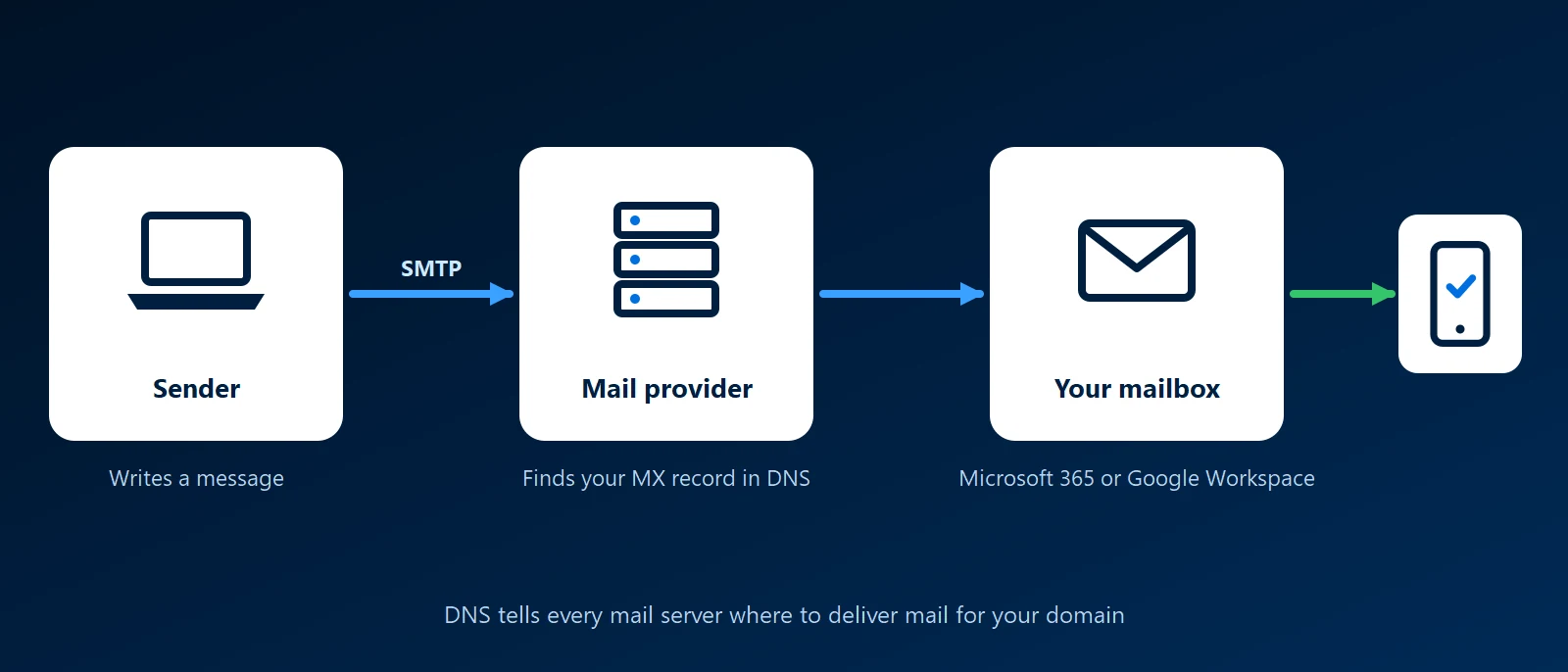
What it is
Each person has a mailbox holding their messages, calendar and contacts. Mailboxes live with a mail provider, which for most offices is Exchange Online in Microsoft 365 or Gmail in Google Workspace. Both charge per user, and the plan sets the mailbox size and the apps included. Our Microsoft 365 licensing guide compares the plans.
The MX records in your domain's DNS tell every other mail system which servers accept mail for you. Change them and new mail goes somewhere else.
Sending and reading
- Sending: mail moves between servers over SMTP. The recipient's server decides whether to accept it, file it as spam or refuse it.
- Reading: staff use the provider's own apps, such as Outlook or Gmail, or a browser. Other mail programs connect over IMAP, which keeps the mailbox on the server so every device shows the same folders.
Addresses that are not people
- Shared mailbox: one mailbox, such as accounts@, that several staff open. Its mail stays when someone leaves.
- Alias: an extra address delivering into an existing mailbox, such as sales@ arriving in one person's inbox.
Why it matters to a business
- Your own domain: addresses at your domain belong to the company, outlast staff changes and can move to a new provider unchanged.
- The domain controls the mail: whoever can edit the MX records can redirect it, so the login at your domain registrar belongs with the business.
- Phishing is the main risk: many attacks start with an email asking for a password or a payment. Multi-factor authentication on every mailbox limits the damage when a password is given away.
- Delivery depends on proof: receivers check SPF, DKIM and DMARC before trusting your mail, as our email authentication guide explains.
- Mailboxes need their own backup: the provider keeps the service running, but restoring a deleted folder or a wiped mailbox is up to you.
How KawaConnect works with email
We set up, migrate and administer Microsoft 365, including Exchange Online mailboxes, shared mailboxes and the DNS records that route and authenticate mail, and we back up Microsoft 365 data. See our Microsoft 365 and backup and recovery pages.
Related services
Microsoft 365
Exchange Online set up, migrated and looked after.
Microsoft reseller
Mailbox licenses on the same invoice as your IT support.
Backup and recovery
Microsoft 365 backup with tested restores.
Learn more
- Email on WikipediaHow email is addressed, sent and stored.
- MX record on WikipediaHow MX records tell other servers where to deliver a domain's mail.
- Google email sender guidelinesThe rules Gmail applies to incoming mail, including authentication.
Planning a move to a new mail provider
Tell us where your mail lives today and how many mailboxes you have. We will lay out the steps.
Start a conversation