
What is multi-factor authentication (MFA)?
Multi-factor authentication asks for a second proof after the password, such as a prompt on your phone or a security key. A stolen password alone is then not enough to get in.
Talk to an engineer Knowledge base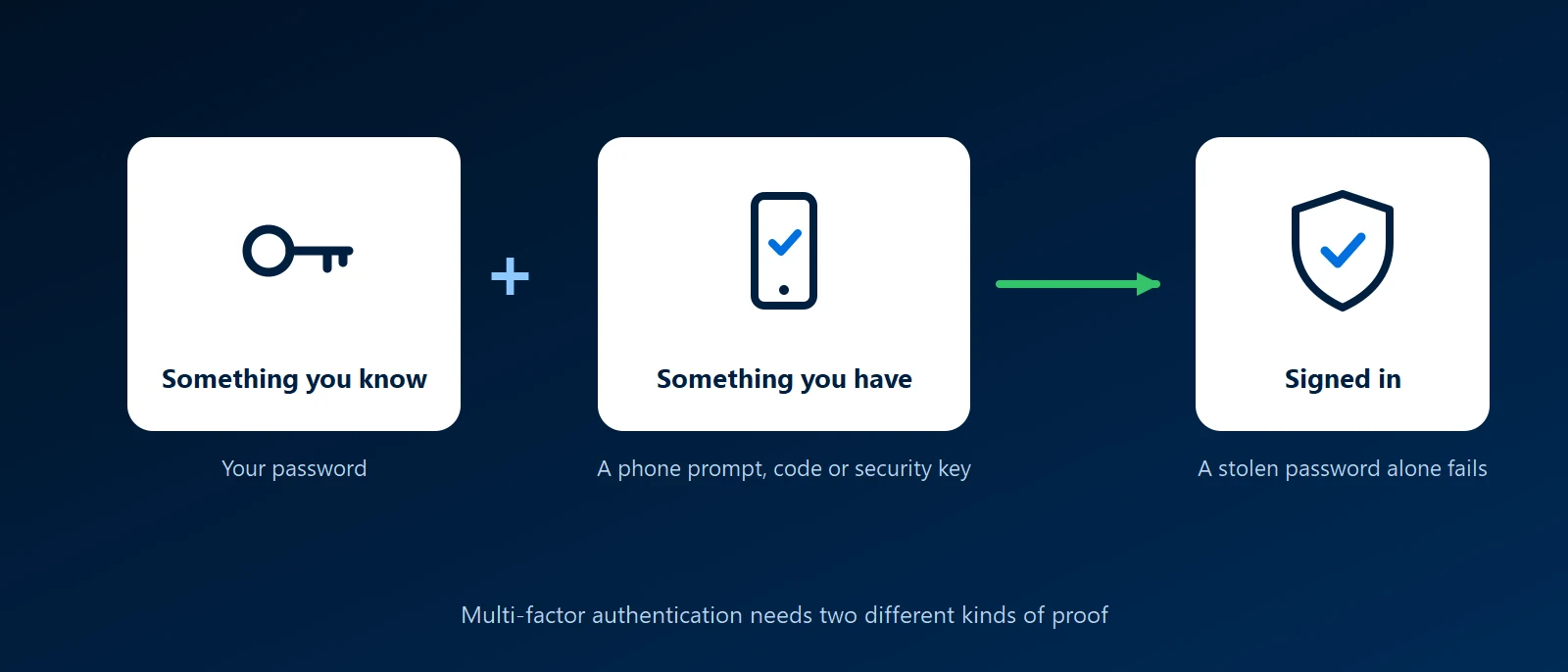
What it is
A factor is a kind of proof. A password is something you know. A phone or a security key is something you have. A fingerprint or a face is something you are. MFA requires two different kinds, so an attacker who learns the password still lacks the second one. Two-factor authentication, or 2FA, is the same idea with exactly two.
The common second factors
- Authenticator app prompt: the app on your phone asks you to approve the sign-in, often by matching a number shown on screen. This is the usual choice for Microsoft 365.
- Authenticator app code: a six-digit code that changes every 30 seconds. It works without a phone signal.
- Security key or passkey: a small USB or NFC key, or a passkey stored on your phone or laptop. These check the address of the site you are on, so a fake login page cannot use them. They are the strongest option.
- Text message or phone call: better than nothing, but the weakest. Phone numbers can be taken over, and codes can be read out to a caller.
Why it matters to a business
- Passwords leak: they are reused, guessed, phished and sold. MFA is what stops a leaked password from becoming a break-in.
- Email is the way in to everything else: whoever controls a mailbox can reset the passwords of other services. Email accounts need MFA first.
- Insurers and auditors ask for it: cyber insurance applications commonly ask whether MFA is on for email, remote access and administrator accounts.
What to watch for
- Prompt fatigue: an attacker with the password can send approval prompts until someone taps yes. Number matching, where you type the number shown on the sign-in screen, prevents this.
- Fake login pages: a convincing copy of a sign-in page can relay a password and a code in real time. Security keys and passkeys resist this, and codes and prompts do not.
- Lost phones: set up a second method and keep recovery codes somewhere safe before the phone is lost, not after.
- Accounts that skip it: shared mailboxes, service accounts and old sign-in methods that cannot do MFA are where attackers look. Block or restrict them.
MFA and single sign-on
When applications use single sign-on, the second factor is checked once at the identity provider and covers every connected application. That is the practical way to get MFA on tools that have no MFA of their own.
How KawaConnect works with MFA
We turn on and manage MFA in Microsoft 365 for clients, together with conditional access rules that decide when a sign-in is allowed. That work is part of our Microsoft 365 and endpoint security services, and our network security work covers multi-factor sign-in for remote access.
Related services
Microsoft 365
MFA and conditional access set up and kept working.
Endpoint security
Protected accounts on managed, encrypted devices.
Network security
Remote access that requires a second factor.
Learn more
- Multi-factor authentication on WikipediaA neutral overview of the factors and how each can be attacked.
- CISA: More than a passwordThe US cybersecurity agency's plain guidance on why and how to turn MFA on.
- How Microsoft Entra multi-factor authentication worksMicrosoft's description of the methods available in Microsoft 365.
- FIDO Alliance: passkeysWhat passkeys are and which devices and services support them.
Not sure MFA is on everywhere
Tell us what your staff sign in to. We will check which accounts have a second factor and which do not.
Start a conversation