
What is an identity provider?
An identity provider, or IdP, is the system that checks who someone is when they sign in. Other applications trust its answer, so staff use one account and one login for everything.
Talk to an engineer Knowledge base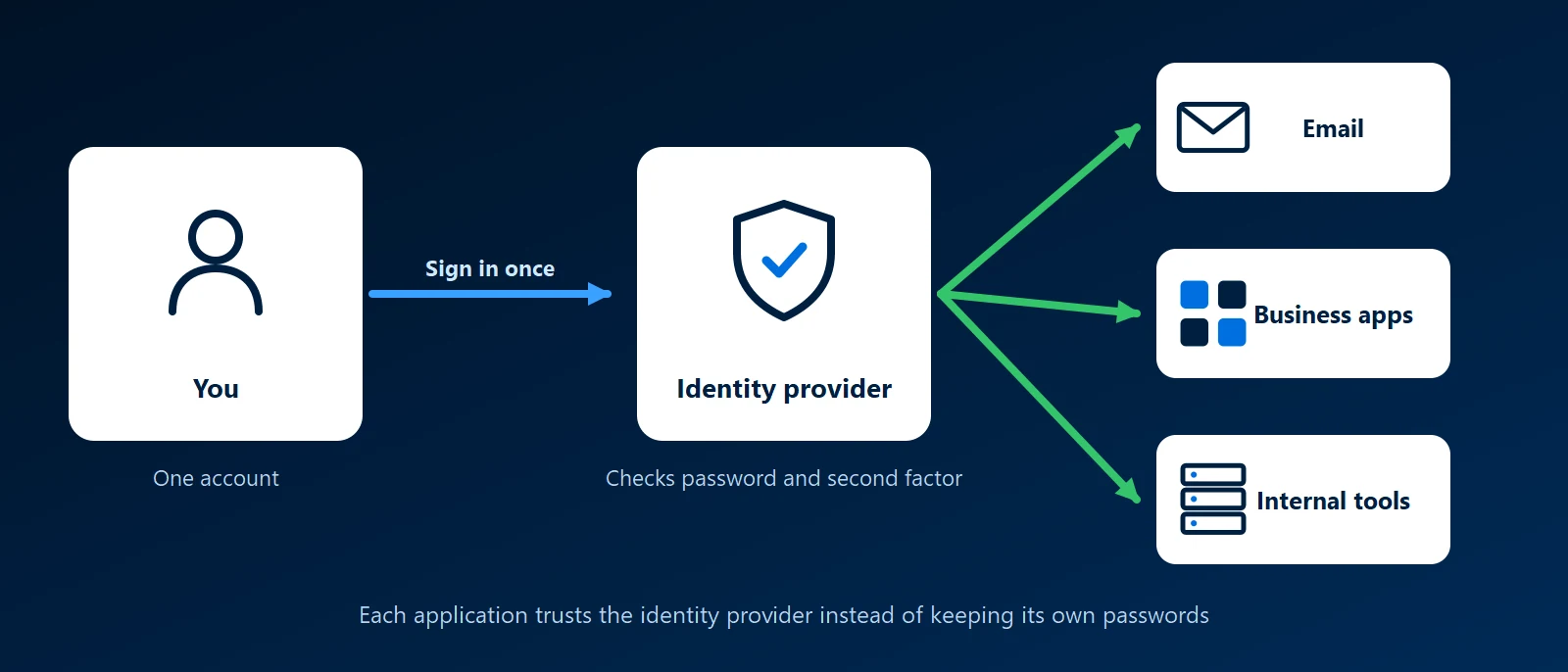
What it is
Every application needs to know who is using it. Without an identity provider, each one keeps its own list of usernames and passwords. With one, the application sends the person to the identity provider to sign in, and the identity provider sends back a signed message that says who they are. The application never sees the password.
That arrangement is called single sign-on, or SSO. Sign in once and the other applications let you in without asking again. The messages travel over open standards, mainly OpenID Connect, OAuth 2.0 and SAML, so products from different makers can work together.
Why it matters to a business
- One account to switch off: when someone leaves, disabling one account closes every application that trusts it.
- Multi-factor sign-in in one place: the second step is enforced at the identity provider, so every connected application gets it, including ones that could not do it themselves.
- Fewer passwords: staff remember one, which makes a long, unique password realistic.
- One sign-in log: who signed in, from where and to what is recorded in a single place.
- It becomes critical: if the identity provider is down, nobody can sign in to anything. It needs backups, monitoring and a tested way back in for administrators.
Common identity providers
- Microsoft Entra ID: the identity provider behind Microsoft 365, and the one most offices already have. Our Microsoft guide covers where it fits.
- Google Workspace: Google accounts play the same role for companies that run on Google Workspace.
- Authentik: open source and self-hosted, with a built-in way to put a login in front of applications that have none. See our Authentik guide.
- Keycloak: open source and self-hosted, widely used to add standards-based login to custom applications. See our Keycloak guide.
- Okta and similar services: commercial identity providers run for you as a subscription.
These can be chained. A self-hosted identity provider can pass the actual sign-in to Microsoft Entra ID, so staff still use their Microsoft 365 account while internal tools get single sign-on.
Terms you will hear
- SSO: single sign-on, one login for many applications.
- MFA: multi-factor authentication, a second proof such as an app prompt or a security key.
- OIDC and SAML: the two standards most applications use to talk to an identity provider.
- Conditional access: rules that allow or block a sign-in based on the device, the location or the risk.
How KawaConnect works with identity providers
Most of our identity work is in Microsoft 365: Entra ID accounts, MFA and conditional access, set up so that one account controls a person's email, files and laptop. That work is described on our Microsoft 365 and endpoint security pages. When a business also runs self-hosted or custom applications, we connect them to the same sign-in so they do not keep separate passwords.
Related services
Microsoft 365
Entra ID, MFA and conditional access for your tenant.
Endpoint security
Protected sign-ins and managed, encrypted devices.
Network security
Firewalls, segmentation and remote access behind one login.
Learn more
- Identity provider on WikipediaA neutral overview of what an identity provider does and the kinds that exist.
- Single sign-on on WikipediaHow single sign-on works, with its benefits and its risks.
- How OpenID Connect worksThe OpenID Foundation's short explanation of the standard most new applications use.
- What is Microsoft Entra ID?Microsoft's introduction to the identity provider behind Microsoft 365.
Too many separate logins
Tell us which applications your staff sign in to. We will tell you which ones can share a single login and what it would take.
Start a conversation