



VPN services in Pittsburgh and Cleveland
KawaConnect builds and runs business VPNs with OpenVPN, WireGuard and Tailscale for companies in Pittsburgh and Western Pennsylvania, and across the Cleveland area and Northeast Ohio. Staff work from home, branch offices share systems, and vendors get in for one job, all without opening your network to the internet.
Plan your VPN Network security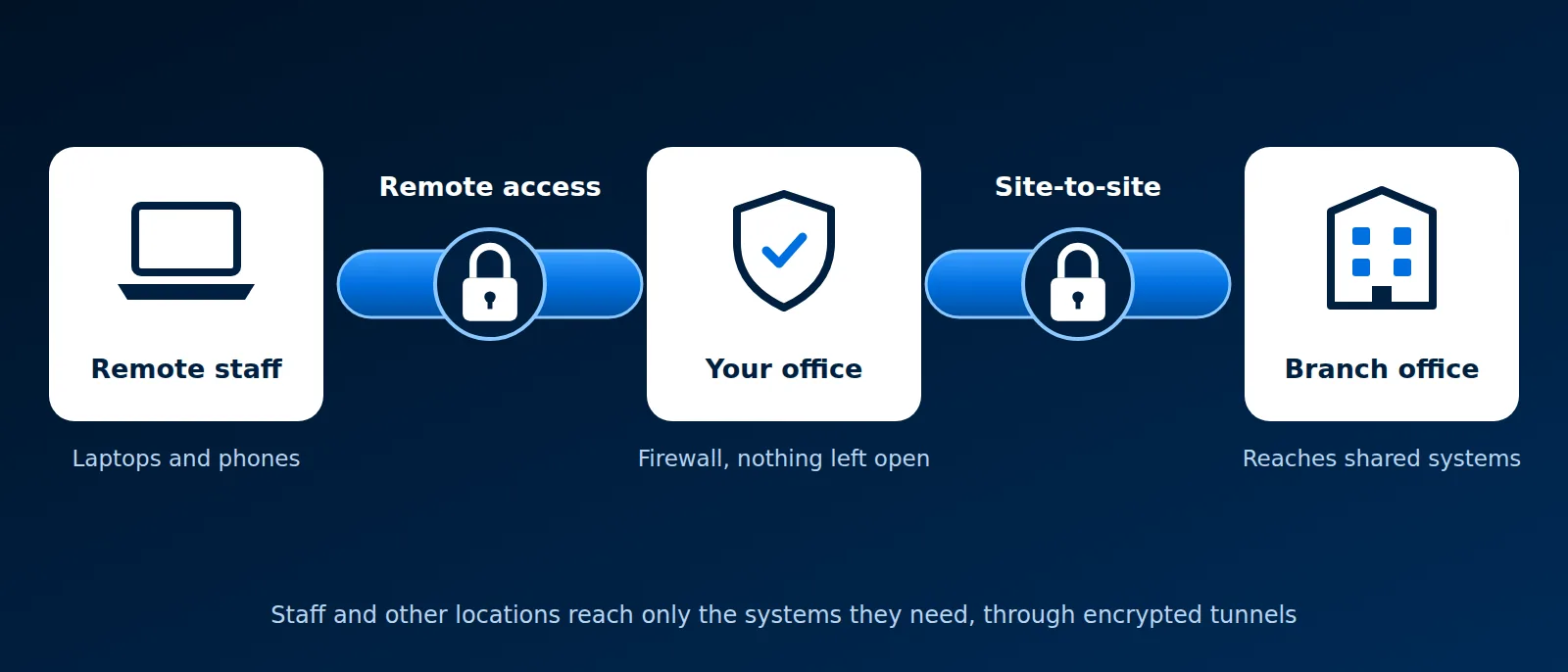
Platforms on this service

What we set up
Most businesses need some mix of these four. We design them together so there is one way in, and one place to turn access off.
Remote access for staff
Laptops and phones reach office files, line-of-business apps and remote desktops from anywhere, with multi-factor sign-in.
Site-to-site VPN
A permanent encrypted link between offices, warehouses or job sites, so each location reaches shared servers as if it were down the hall.
Vendor and contractor access
Outside support gets a separate account that reaches one system, logs what it does, and is switched off when the job ends.
Cameras and building systems
Camera recorders, door controllers and other devices are reached through the VPN, so their web pages are never exposed online.
OpenVPN, WireGuard or Tailscale
All three encrypt traffic between a device and your network. They differ in how people sign in, how keys are handled, and what they run on. We pick the one that fits how you work, and often use two together.
| OpenVPN | WireGuard | Tailscale | |
|---|---|---|---|
| What it is | A long-established VPN using TLS certificates | A small, fast VPN protocol built into Linux | A managed service that builds WireGuard links for you |
| How people sign in | Certificate plus username, password and a second factor | A key on each device, no user sign-in | Your Microsoft 365 or Google account, with MFA |
| Where it runs | On the office firewall | On the firewall or a Linux server | On each device, with a small coordination service |
| Best for | Firewalls you already own, and staff who need a familiar connect button | Site-to-site links and fixed devices | Teams that grow and change, and access to many sites at once |
| Cost | Free and open source | Free and open source | Free for small use, per-user plans above that |
OpenVPN on your firewall
OpenVPN is built into OPNsense and pfSense, so a firewall you already run can become the VPN server. Each user gets a certificate and signs in with a password and a one-time code. Firewall rules decide which systems each group can reach.
WireGuard for offices and servers
WireGuard is quick to connect and light on hardware. We use it for tunnels between offices and between servers, where the two ends rarely change. Each end trusts only the other's public key, so there is no password to steal.
Tailscale for teams
Tailscale runs on WireGuard and adds sign-in through your existing accounts. When someone leaves, disabling their account removes their access everywhere. Access rules are written once and apply to every device. It is what we use for staff remote access.
IPsec and SSL VPN
Two more names you will see on firewall menus. IPsec is the standard for tunnels between firewalls of different brands, and between an office and Azure or AWS; we use it when the other end is not ours to change. An SSL VPN is remote access over the same encryption as secure websites. OpenVPN is one, and firewall makers sell their own. When we inherit a vendor SSL VPN, we patch it first, since its sign-in page faces the internet.
No open ports
Remote desktop, camera recorders and admin pages left open to the internet are a common way in for attackers. We close them and put them behind the VPN. Read more in our guides to remote desktop, SSH and firewalls, or see how we handle remote camera viewing.
How a VPN project works
- Review. We list who needs access, from where, and to which systems, and look at the firewall you have now.
- Design. We choose OpenVPN, WireGuard, Tailscale or a mix, and write down the access rules for each group.
- Build and test. We set it up on your firewall or devices, connect a pilot group and check every business app works over the tunnel.
- Roll out. Staff get short setup instructions, and we close the ports the VPN replaces.
- Run it. Under managed IT we add and remove users, update the software, and watch the connection logs.
Serving Pittsburgh and Cleveland businesses
Our offices are in Coraopolis and Beaver Falls. We support businesses across Pittsburgh and Western Pennsylvania, and in the Cleveland area and Northeast Ohio. VPN work is mostly done remotely; site-to-site links that need firewall hardware are installed on site.
Questions about VPNs
Do we need a VPN if everything is in Microsoft 365?
Often not for email and files. You still need one for anything that lives in the office: file servers, accounting software, remote desktops, cameras and printers. Read our VPN guide for the basics.
Will a VPN slow down our internet?
Only traffic for office systems goes through the tunnel; normal web browsing goes straight out. WireGuard and Tailscale add very little delay.
Can you take over a VPN someone else set up?
Yes. We document what is there, remove old accounts and weak settings, and either keep it or move you to something simpler.
Is it safe for vendors to have VPN access?
When the vendor account reaches only one system, needs a second factor and is turned off after the work, yes. We set it up that way by default.
Who it is for
- Teams with people working from home or on the road
- Businesses with two or more locations that share servers or software
- Offices with remote desktop or camera recorders open to the internet
- Companies whose old VPN has accounts nobody can explain
Related guides
Plain-English explanations from our knowledge base.
VPNOpenVPNWireGuardTailscaleIPsecSSL VPNOPNsensepfSenseFirewallsMulti-factor authentication (MFA)Remote desktop and RDPSSH
Set up a VPN that is simple to run
Tell us who needs access and to what. We will recommend OpenVPN, WireGuard, Tailscale or a mix, and quote it.
Start a conversation