
What is SSH?
SSH, short for Secure Shell, is the standard way administrators log in to servers and network equipment over an encrypted connection. Almost every Linux server is managed through it.
Talk to an engineer Knowledge base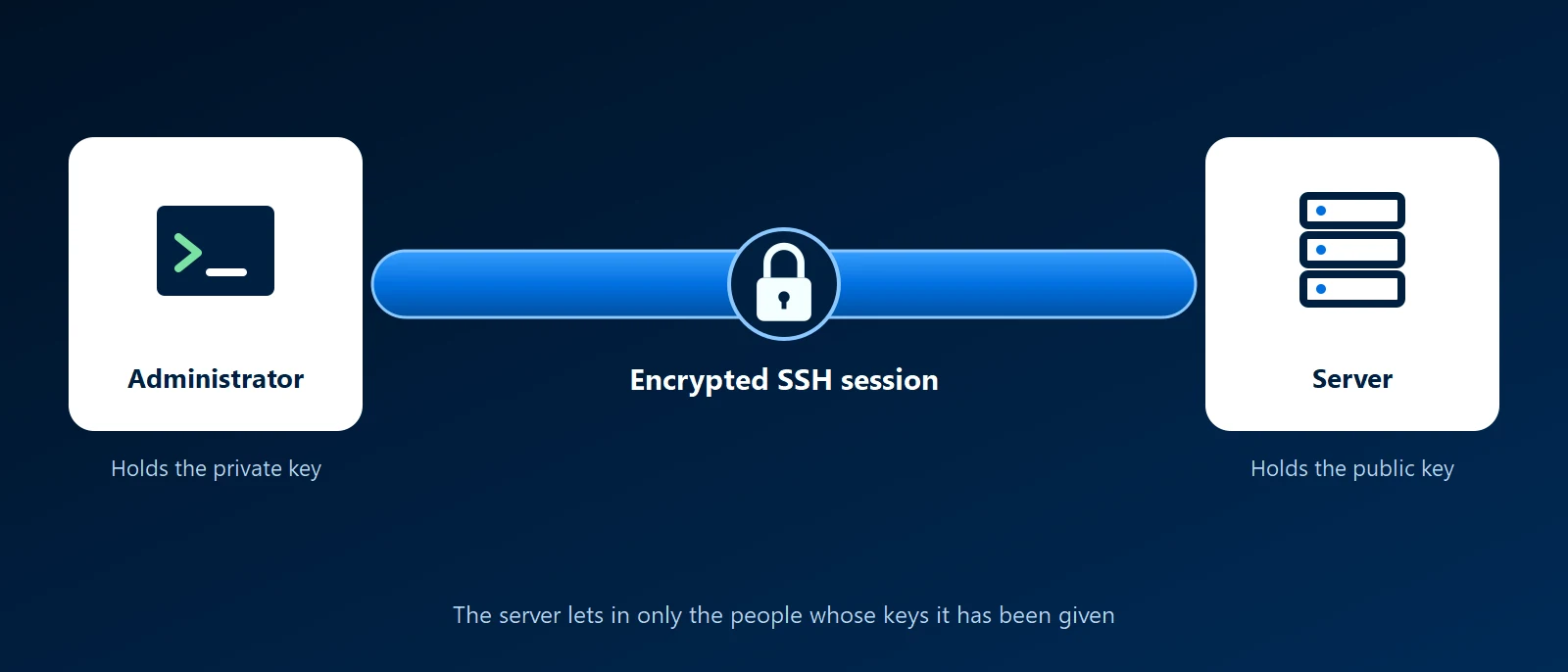
What it is
SSH gives an administrator a command line on a remote machine. Everything sent over the connection is encrypted, including the login itself. It replaced older tools such as Telnet, which sent passwords in plain text. The usual implementation is OpenSSH, which ships with Linux, macOS and current versions of Windows. A server listens for SSH on port 22 by default.
The same connection can do more than run commands. It can copy files (SCP and SFTP) and carry other traffic through an encrypted tunnel. Tools such as Git and Ansible use SSH underneath.
Keys instead of passwords
SSH can log in with a password, but the better method is a key pair. The private key stays on the administrator's computer and is never sent anywhere. The matching public key is placed on the server. At login the server checks that the person holds the private key. A key cannot be guessed the way a password can, and each administrator has their own, so access can be removed one person at a time.
Why it matters to a business
- It is how servers are run: updates, repairs and configuration on Linux servers, firewalls and switches happen over SSH.
- It is a target: any SSH server reachable from the internet is scanned constantly by automated password guessing.
- Access needs an owner: a key left on a server after someone leaves still works. Someone has to keep the list of who can log in.
Good practice
- Keys only: turn off password login once keys are in place.
- No direct root login: administrators sign in as themselves and raise their privileges when needed, so the log shows who did what.
- Keep it off the open internet: reach SSH through a VPN or a private network such as Tailscale or WireGuard, or limit it to known addresses at the firewall.
- Protect the private key: set a passphrase on it, or keep it on a hardware security key.
- Remove keys when people leave: treat it as part of offboarding.
How KawaConnect works with SSH
We administer the Linux servers, firewalls and network equipment we look after over SSH, with key-based logins and remote access that is not left open to the internet. Access is documented, so a client can see who is able to reach its systems. This is part of our Linux server support and network security work.
Related services
Linux server support
Servers administered, patched, monitored and backed up.
Network security
Remote access that does not leave management ports open.
Networking and firewalls
Firewalls and switches configured and documented.
Learn more
- Secure Shell on WikipediaA neutral overview of the protocol, its history and its uses.
- OpenSSHThe project behind the SSH software on most systems, with its manual pages.
- OpenSSH on the Arch WikiA practical reference for setting up keys and hardening a server, useful on any Linux distribution.
- OpenSSH for WindowsMicrosoft's guide to the SSH client and server built into Windows.
Not sure who can log in to your servers
Tell us what you run. We will review how remote access is set up and who holds keys.
Start a conversation