

What are Zebra barcode scanners?
Zebra makes barcode scanners in handheld, cordless and presentation styles. Current imaging models read both 1D and 2D barcodes, and by default they send what they read to the computer as if someone had typed it.
Talk to an engineer Knowledge base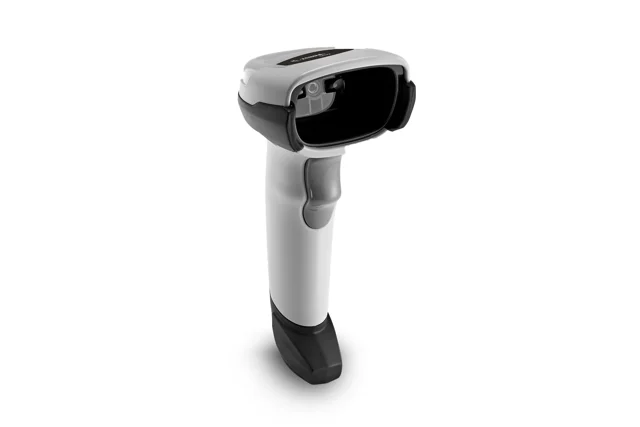
What it is
A handheld scanner is aimed at a code by hand. A cordless one works the same way but connects wirelessly, so a worker can scan around a stockroom. A presentation scanner sits on the counter and reads whatever is held in front of it, which keeps both hands free.
A 1D barcode is a row of vertical lines. A 2D barcode, such as a QR code or Data Matrix, packs data into a square pattern and holds more. Older laser scanners such as the LS2208 read only 1D codes. Out of the box, the scanner behaves like a keyboard: the code arrives in whatever field is selected, and the scanner can be set to press Enter after it. See our overview of barcode scanners for the general picture.
Why it matters to a business
- Fewer typing errors: a scan places the exact number into the system every time.
- Faster counters and receiving: staff scan items in and out instead of keying long codes.
- Works with existing software: keyboard behavior means most programs accept a scan with no special driver.
- Right style for each station: a presentation scanner suits a register, while a cordless scanner suits stock rooms.
How KawaConnect works with Zebra scanners
We set up and support barcode scanners at dispensaries, production sites and retail counters. That means pairing cordless units, checking that a scan lands in the right field of the register or inventory software, and adjusting settings when the software expects extra characters.
Scanners usually work alongside label printers, since the codes being read were often printed on site. We document each scanner's settings, so a replacement can be programmed the same way.
Related services
Cannabis IT
Technology for dispensaries, cultivation and processing sites that print and scan every day.
Managed IT
Scanners, registers and the computers they plug into, supported and documented.
Software
Tagestry label printing and print integrations for web applications.
Learn more
- Zebra websiteProduct families and manuals for Zebra scanners, useful when choosing or replacing a unit.
- Barcode reader on WikipediaPlain background on how scanners read codes.
- QR code on WikipediaExplains the most familiar 2D code, handy for seeing how it differs from a classic barcode.
Programming barcode manuals
Most scanner settings are changed by scanning barcodes printed in the manufacturer's manual. These are the ones we reach for most. Print the page you need or scan it straight from a screen.
- Zebra DS2208 Product Reference Guide (PDF)The full manual, with barcodes for factory reset, USB keyboard mode, adding an Enter or Tab after each scan, and turning barcode types on or off.
- Zebra DS2208 Quick Start Guide (PDF)A few pages with the settings most people need, plus what the beeps and light colors mean.
- Zebra LS2208 Product Reference Guide (PDF)The same kind of manual for the older LS2208 laser scanner still found at many registers.
- Zebra DS2200 series support pageCurrent manuals, firmware, and the 123Scan setup utility for the DS2208 and cordless DS2278.
Scanner typing the wrong thing?
Tell us what it scans and where the data goes. We will check the settings and the software together.
Start a conversation