
How do barcode scanners work?
A barcode scanner reads a printed code and sends its contents to a computer. The choices that matter are the kinds of code it reads, how it reads them and whether it has a cord.
Talk to an engineer Knowledge base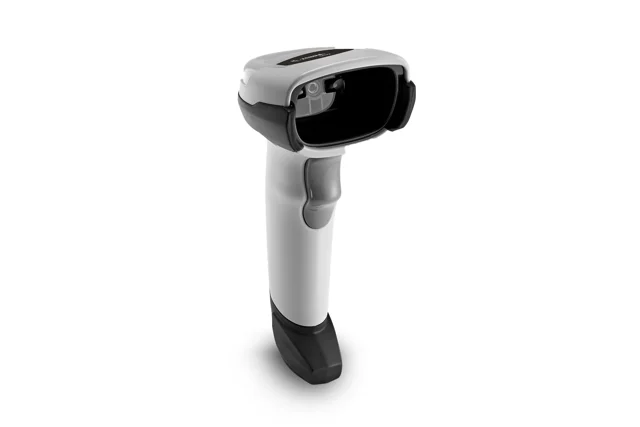
What it is
A 1D barcode is a row of lines and holds a short string of digits or letters. A 2D code, such as a QR code or Data Matrix, uses a square pattern and holds more. A laser scanner sweeps a beam across a line code. An imager takes a small picture and decodes it, so it reads both kinds, and it can read a code shown on a phone screen, which most laser scanners cannot.
Scanners are corded or cordless. Cordless ones connect by Bluetooth or a base station and need charging. Most scanners act as a keyboard, which means the code is typed into the selected field, usually followed by Enter. Our page on Zebra scanners shows common styles.
Why it matters to a business
- Match the code: a laser scanner cannot read a QR code or Data Matrix, so check what your labels use.
- Accuracy: a scan cannot mistype a digit the way a person keying in a code can.
- Mobility: cordless scanners suit stock rooms but need battery care.
- Settings: a prefix or suffix is an extra character the scanner adds before or after each scan, such as a Tab or Enter key, which some software needs. Scanning a setup code from the manual changes it.
How this shows up in our work
We set up and support barcode scanners at dispensaries, production sites and retail counters. That includes pairing, choosing the right type for the labels in use, and setting prefixes or suffixes. Many of those labels come from label printers we also support.
We document the settings for each site, so a replacement scanner can be programmed the same way.
Related services
Cannabis IT
Technology for dispensaries, cultivation and processing sites that print and scan every day.
Managed IT
Scanners, printers and the computers they plug into, documented and supported.
Learn more
- Barcode reader on WikipediaDescribes scanner types and how they read codes, for a general audience.
- Barcode on WikipediaCovers the history and the main code formats if you want the background.
- Data Matrix on WikipediaExplains a common 2D code, helpful when your labels use one.
Programming barcode manuals
Most scanner settings are changed by scanning barcodes printed in the manufacturer's manual. These are the ones we reach for most. Print the page you need or scan it straight from a screen.
- Zebra DS2208 Product Reference Guide (PDF)The full manual, with barcodes for factory reset, USB keyboard mode, adding an Enter or Tab after each scan, and turning barcode types on or off.
- Zebra DS2208 Quick Start Guide (PDF)A few pages with the settings most people need, plus what the beeps and light colors mean.
- Zebra LS2208 Product Reference Guide (PDF)The same kind of manual for the older LS2208 laser scanner still found at many registers.
- Zebra DS2200 series support pageCurrent manuals, firmware, and the 123Scan setup utility for the DS2208 and cordless DS2278.
Scanner not reading your labels?
Tell us what the label looks like and what scanner you have. We will work out the cause with you.
Start a conversation