
Why SPF, DKIM and DMARC all matter
SPF, DKIM and DMARC are three DNS records that let other mail systems check that email from your domain really came from you. Each covers a gap the others leave, so a domain needs all three.
Talk to an engineer Knowledge base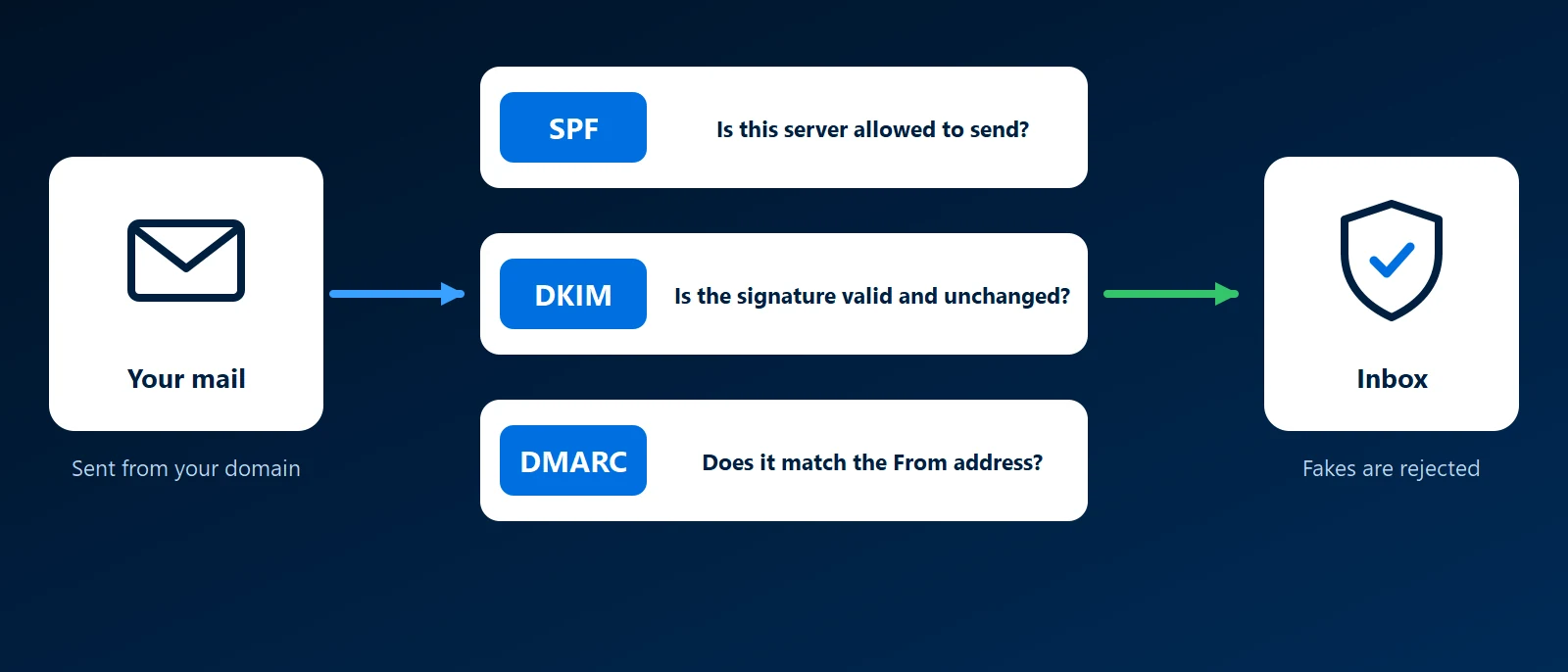
Why it matters to a business
Email has no built-in check on who the sender is. Without these records, anyone can put your domain in the From line, so a fake invoice can arrive looking like it came from your accounts team.
The reverse also happens. Large providers distrust unauthenticated mail, so genuine replies land in spam. Google and Yahoo have required authentication from bulk senders since 2024.
What each one adds
- SPF: lists the servers allowed to send for your domain.
- DKIM: signs each message, proving which domain signed it and that nothing changed on the way.
- DMARC: checks that SPF or DKIM passed for the domain in the From address, tells receivers what to do when neither did, and sends you reports.
None is enough alone. SPF and DKIM can pass for a domain other than the one your reader sees, and neither asks a receiver to block anything. DMARC needs one of them working, and SPF fails on forwarded mail, so DKIM is the backup.
| Record | What it checks | Where it lives | What it cannot do |
|---|---|---|---|
| SPF | The sending server is on your list | One TXT record on the domain | Protect the From address or survive forwarding |
| DKIM | The message is unchanged, and who signed it | A record per sending service, under a selector | Say what to do with unsigned or broken mail |
| DMARC | SPF or DKIM matches the From domain | A TXT record at _dmarc | Work without SPF or DKIM in place |
Common mistakes
- Two SPF records: a second record added for a new service makes SPF fail for all your mail.
- A sender nobody added: the marketing platform or invoicing system sends as your domain but never got an SPF entry or a DKIM key.
- DMARC at none forever: the policy never moves, so forged mail is still delivered.
- Jumping to reject: enforcing before reading the reports blocks your own mail along with the forgeries.
The order to set them up
- List every sender: your mail provider and each service that emails as your domain.
- Publish one SPF record covering them all.
- Turn on DKIM in every sending service.
- Publish DMARC at none with a report address, and read the reports.
- Move to quarantine, then reject, once only your own services appear.
All three live in your DNS. Our guide to business email covers the rest of the setup.
How KawaConnect works with email authentication
When we set up, migrate or administer Microsoft 365, the SPF, DKIM and DMARC records are part of the job, alongside the MX records that route mail. For websites we host, a contact form that sends mail is added to the same records.
Related services
Microsoft 365
Exchange Online with all three records in place.
Websites
Hosting and DNS for the same domain as your mail.
Managed IT
New sending services added to the records as they arrive.
Learn more
- Email authentication on WikipediaAn overview of the methods used to verify where email comes from.
- DMARC, DKIM and SPF at CloudflareA walkthrough of the three records.
- DMARC overview at dmarc.orgHow DMARC builds on SPF and DKIM, from the standard's own site.
- Google email sender guidelinesThe authentication Gmail expects from senders.
- Email authentication in Microsoft 365Microsoft's guide to all three for Microsoft 365.
Find out where your domain stands
Send us your domain. We will check its three records.
Start a conversation