
What is single sign-on (SSO)?
Single sign-on lets a person sign in once and then open every work application without typing another password. One account, checked in one place, replaces a separate login for each tool.
Talk to an engineer Knowledge base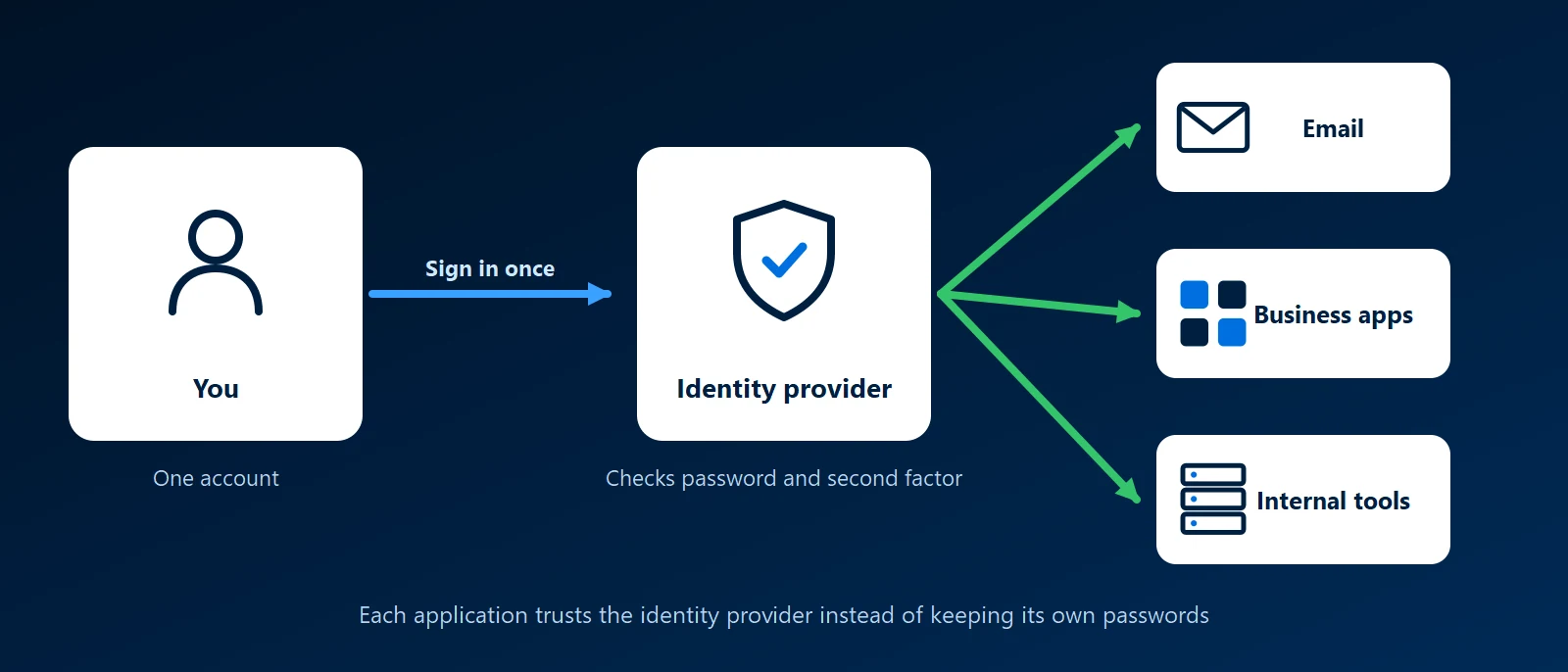
What it is
With single sign-on, applications stop keeping their own passwords. They hand the login to an identity provider, the system that holds the company's accounts. "Sign in with Microsoft" on a work application is single sign-on: the application trusts Microsoft to say who you are.
What happens when you sign in
- You open an application, such as the helpdesk or the accounting system.
- It sends your browser to the company's identity provider.
- If you are not signed in yet, you enter your password and complete the second step, such as an app prompt.
- The identity provider sends you back with a signed message saying who you are.
- The application lets you in. The next application you open skips step 3, because you are already signed in.
Why it matters to a business
- Leavers are handled in one step: disabling the one account closes every application connected to it.
- The second factor covers everything: multi-factor sign-in is enforced once, at the login, for every connected application.
- Fewer reset requests: one password to remember means fewer lockouts and fewer passwords written on notes.
- New staff start faster: one account gives access to everything their role needs.
What to watch for
- One account now opens everything: that account must have multi-factor sign-in. Single sign-on without it concentrates the risk.
- Not every application supports it: some vendors include single sign-on only in a higher-priced plan, and some older software cannot do it at all. A login page can sometimes be placed in front of those.
- Signing in is not the same as having an account: the application still needs to know the person exists and what they may do. Some create the account at first login, and others need it set up.
- Keep a way in: administrators need a tested emergency account for the day the identity provider is unreachable.
Where to start
Most offices already have what they need. A Microsoft 365 or Google Workspace account can sign staff in to many business applications. List the applications people log in to, check which accept that sign-in, and connect those first. Self-hosted and custom applications can be joined through a self-hosted identity provider such as Authentik or Keycloak.
How KawaConnect works with single sign-on
We set up and run Microsoft 365 sign-in for clients, with MFA and conditional access, as described on our Microsoft 365 page. Where a business has other applications, we check which can use the same sign-in and connect them, so a person's access starts and ends with one account.
Related services
Microsoft 365
Accounts, MFA and conditional access in Entra ID.
Endpoint security
Protected sign-ins on managed, encrypted devices.
Managed IT
Onboarding and offboarding handled through one account.
Learn more
- Single sign-on on WikipediaA neutral overview, including the benefits and the criticisms.
- What is single sign-on in Microsoft Entra ID?Microsoft's explanation of how applications connect to a Microsoft 365 sign-in.
- How OpenID Connect worksA short description of the standard behind most "Sign in with" buttons.
One login for your whole team
Send us the list of applications your staff use. We will tell you which can share one sign-in and what the rest would need.
Start a conversation