
What is Keycloak?
Keycloak is open-source identity and access management software. It gives many applications one shared sign-in with multi-factor authentication, and it is widely used to add standards-based login to custom applications.
Talk to an engineer Knowledge base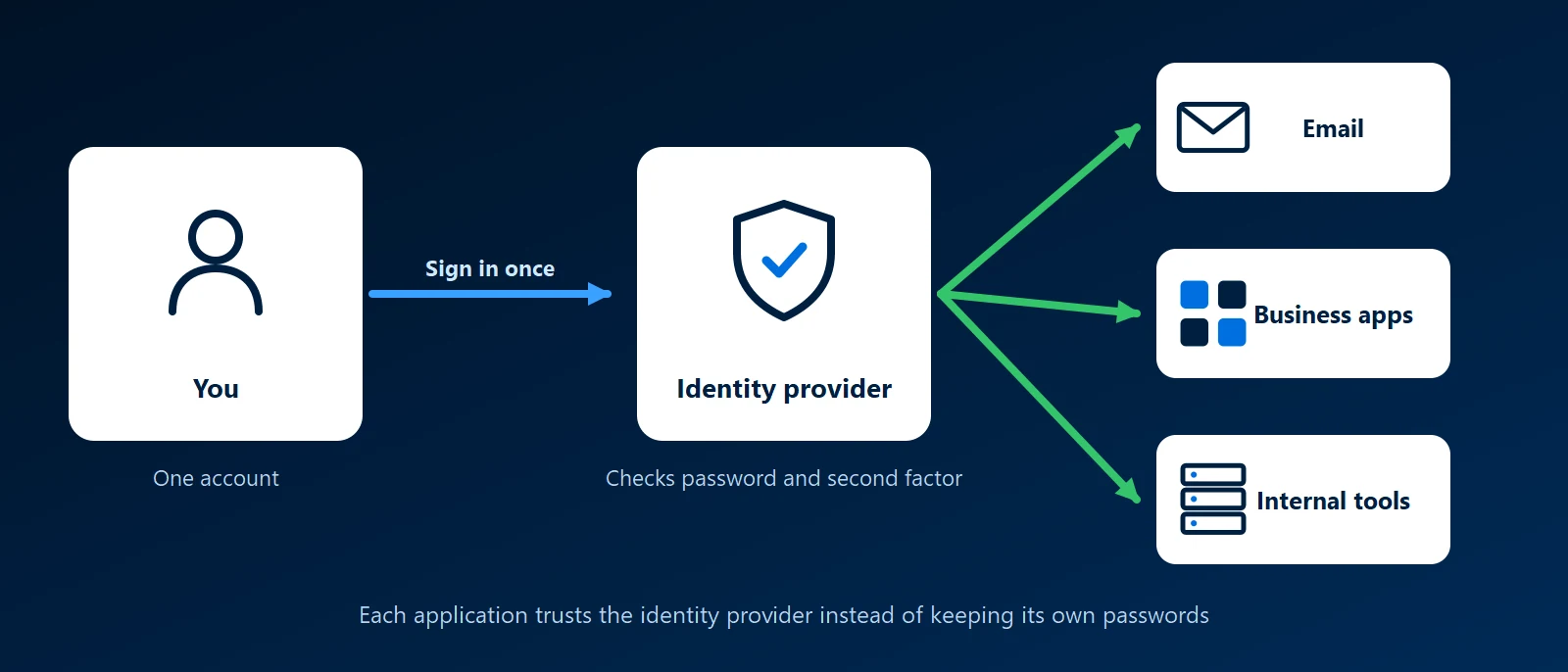
What it is
Keycloak started at Red Hat and is now a Cloud Native Computing Foundation project. It runs on your own servers, as a container or on Kubernetes, and supports OpenID Connect, OAuth 2.0 and SAML. An application that uses those standards hands sign-in to Keycloak and gets back a confirmed identity, so it never handles passwords itself.
Why single sign-on matters
With single sign-on, each person has one account for every connected application. When someone leaves, disabling that account removes their access everywhere. Multi-factor sign-in is required in one place, and staff have fewer passwords to reuse or write down.
The main pieces
- Realms: a realm is a separate set of users, settings and applications. One installation can hold several, such as one for staff and one for customers.
- Clients: each application that signs users in through Keycloak is registered as a client, with its own settings.
- Identity brokering: Keycloak can hand sign-in to another provider and trust the result, so staff can sign in with their Microsoft 365 accounts.
- User federation: Keycloak can read users from an existing LDAP directory or Microsoft Active Directory instead of keeping a second copy of every account.
Keycloak and Authentik
Authentik covers the same ground. Keycloak is the older project and the usual choice when developers need login inside their own software. Authentik puts more weight on designing sign-in steps in its web interface and ships proxy outposts that place a login in front of applications that have none. Keycloak can protect those applications too, usually with a separate proxy in front of them.
How KawaConnect works with single sign-on
We build custom business software, and login is the part of an application that should follow a published standard rather than be written from scratch. Our identity work in Microsoft 365 covers Entra ID accounts, multi-factor authentication and conditional access. We also run self-hosted Linux, Docker and Kubernetes services, where an identity provider lets internal tools use the same Microsoft accounts as everything else.
Related services
Kubernetes consulting
Clusters for self-hosted services and their configuration.
Microsoft 365
Entra ID, MFA and conditional access for staff accounts.
Network security
Remote access, MFA and segmentation with someone watching.
Learn more
- Keycloak documentationServer administration, securing applications and upgrade guides.
- Keycloak websiteThe project's home, with downloads, release news and getting-started guides.
- Keycloak on WikipediaA neutral overview of the project and its history at Red Hat.
- How OpenID Connect worksThe OpenID Foundation's explanation of the sign-in standard Keycloak and Authentik use.
Adding login to your own software?
Tell us what the application does and who signs in to it. We will outline how standards-based sign-in would fit.
Start a conversation