

What is Authentik?
Authentik is an open-source identity provider: one place where staff sign in, with multi-factor sign-in, that then lets them into many applications. It is developed by Authentik Security and runs on servers you control.
Talk to an engineer Knowledge base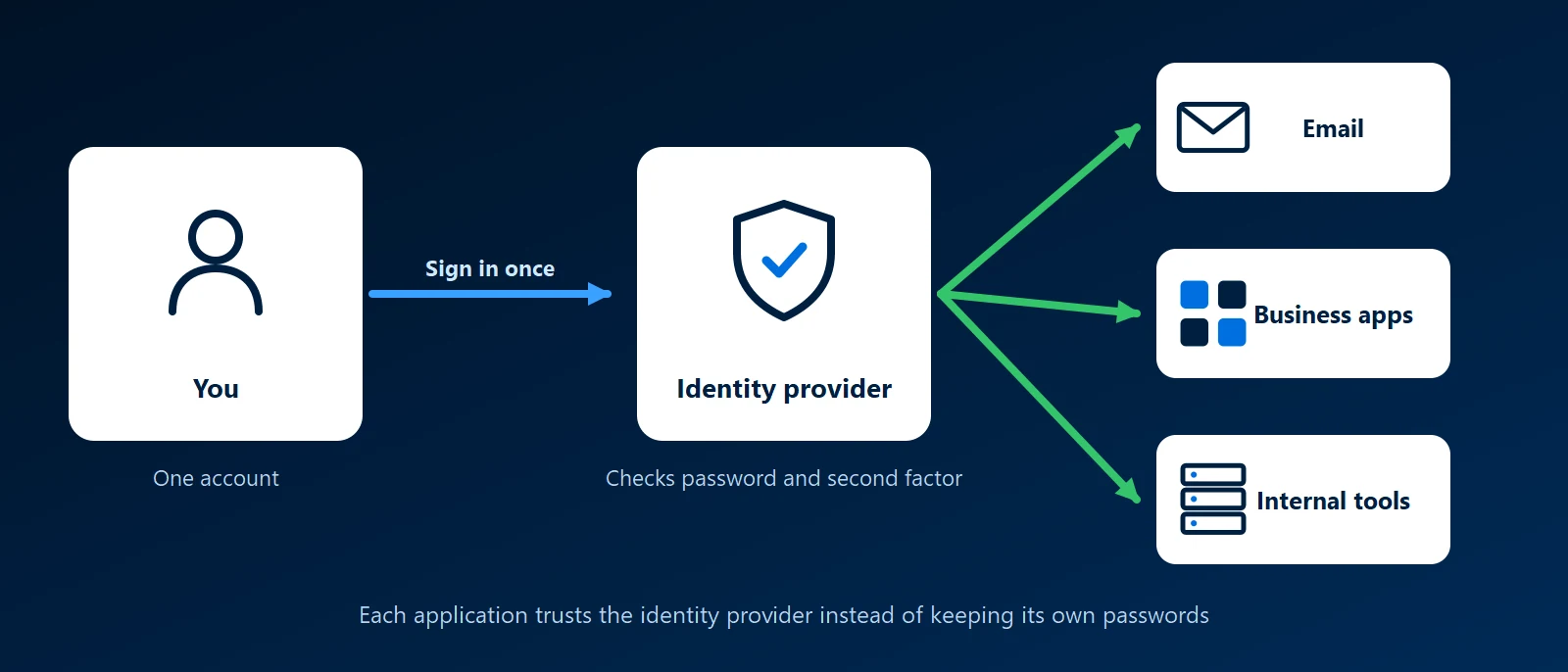
What it is
Authentik holds user accounts and handles sign-in for other applications. When someone opens a connected application, it sends them to Authentik, they sign in, and Authentik tells the application who they are. It uses the common standards for this, OpenID Connect, OAuth 2.0 and SAML, which most business web applications with single sign-on support.
It is self-hosted, usually in Docker containers on one server or on a Kubernetes cluster. Administrators configure it in a web interface. Flows define the steps of a sign-in, such as a password followed by a code from an authenticator app. Policies decide which groups can open which applications.
What single sign-on means for a business
- One account per person: staff sign in once instead of keeping a separate password for each tool.
- One place to remove access: when someone leaves, disabling their account closes every connected application at once.
- MFA in one place: multi-factor sign-in is set once in Authentik, not in each application.
Applications with no login of their own
Some internal tools have no sign-in screen, or a weak one. Authentik's proxy outposts sit in front of such an application and require a sign-in before any request reaches it. LDAP and RADIUS outposts let older systems, such as some VPN servers, check passwords against the same accounts.
Working with Microsoft accounts
Authentik can use another directory as a source of accounts. A business on Microsoft 365 can let staff sign in to Authentik with their Microsoft Entra ID account, and that one identity then reaches applications Microsoft does not cover.
Authentik and Keycloak
Keycloak does the same core job. Authentik is newer, built around flows designed in its web interface, and includes proxy outposts. Keycloak is older and is a common choice for adding login to custom applications. Authentik's open-source version is free, and Authentik Security sells an enterprise edition with extra features and support.
How KawaConnect works with single sign-on
Our identity work centres on Microsoft 365: Entra ID accounts, multi-factor authentication and conditional access, which needs Entra ID P1 as our Microsoft 365 licensing guide explains. We also run self-hosted Linux, Docker and Kubernetes services and build custom software. Single sign-on lets those applications use the same account and MFA rules as Microsoft 365.
Related services
Microsoft 365
Entra ID accounts, MFA and conditional access.
Docker consulting
Self-hosted business applications in containers.
Endpoint security
Protection for the devices and accounts staff sign in with.
Learn more
- Authentik documentationInstallation guides and reference for flows, policies, providers and outposts.
- Authentik websiteAuthentik Security's site, covering the open-source project and the enterprise edition.
- Authentik on GitHubThe source code, release notes and issue tracker for the project.
Too many separate logins?
Tell us which applications your staff sign in to. We will show how one account could cover them.
Start a conversation