
What is an SSL certificate?
An SSL certificate, properly called a TLS certificate, is what puts the padlock and "https" on a website. It proves the site is the one it claims to be and encrypts everything sent between the visitor and the server.
Talk to an engineer Knowledge base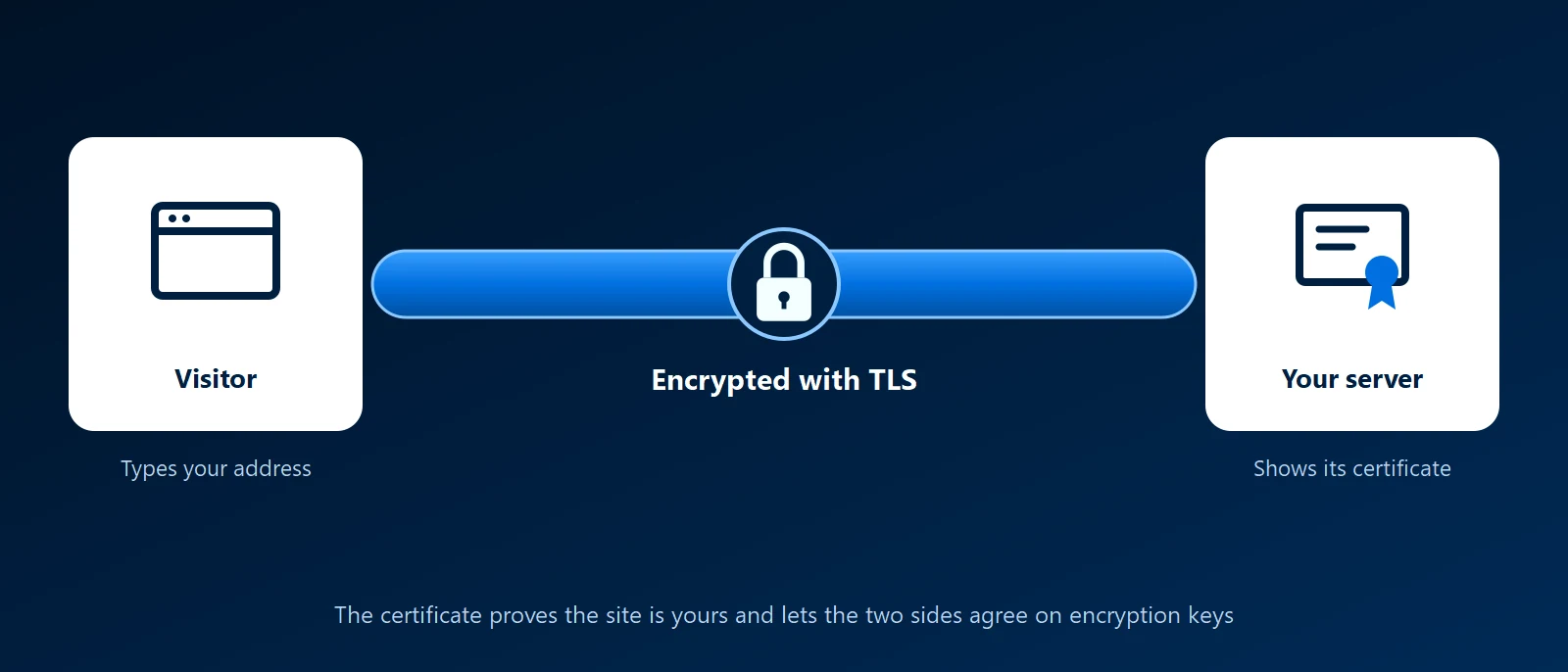
What it is
A certificate is a small file installed on a server. It contains the domain name it is valid for, an expiry date and a public key, and it is signed by a certificate authority that browsers already trust. When a browser connects, the server presents the certificate. The browser checks the name, the dates and the signature, and the two sides then agree on keys to encrypt the session.
SSL is the old name for the protocol. It was replaced by TLS years ago, but "SSL certificate" stuck. The certificates are the same thing.
Why it matters to a business
- Browsers warn without one: a site with no certificate, or an expired one, shows a "Not secure" or full-page warning that most visitors will not click past.
- Logins and forms are protected: passwords, contact forms and card details cannot be read by someone on the same network.
- Search engines expect it: https has been a ranking signal for years.
- It is not only websites: mail servers, VPN portals, phone systems and internal applications use certificates too.
Kinds of certificate
- Domain validated (DV): the authority checks only that you control the domain. Issued in minutes, often free. This is what most sites use.
- Organization validated (OV) and extended validation (EV): the authority also checks the company behind the site. They cost more and take longer. Browsers no longer show them differently in the address bar.
- Wildcard: covers every subdomain at one level, such as anything.example.com.
- Multi-domain (SAN): one certificate listing several names.
- Self-signed or private: signed by yourself or your own internal authority. Fine for internal systems whose devices are set up to trust it, and a warning everywhere else.
What goes wrong
- Expiry: every certificate has an end date, and lifetimes keep getting shorter. A forgotten renewal takes the site down with a warning page. Renewal should be automatic and monitored.
- Name mismatch: the certificate covers www.example.com but the visitor typed example.com, or the other way round.
- Missing chain: the server does not send the intermediate certificate, so some devices trust the site and others do not.
- Mixed content: the page is https but loads an image or script over http, and the browser blocks it.
- A padlock is not a recommendation: it means the connection is encrypted and the name matches. A fake site can have one too.
How KawaConnect works with certificates
The websites we host are served over https, with certificates that renew automatically. For the Linux servers, reverse proxies and other systems we run, we set up certificates as part of the build and document where each one is issued and renewed. Free certificates from Let's Encrypt cover most needs, and many sites get theirs through Cloudflare. Certificates depend on DNS being right, so we check both together.
Related services
Websites
Sites built and hosted with https from the start.
Linux server support
Servers and reverse proxies with certificates that renew themselves.
Network security
Encrypted remote access and properly secured portals.
Learn more
- Public key certificate on WikipediaA neutral explanation of what a certificate contains and how trust chains work.
- Cloudflare: What is an SSL certificate?A short illustrated explanation of certificates and the TLS handshake.
- SSL Labs server testA free tool that grades a public site's certificate and TLS settings and names what is wrong.
- How Let's Encrypt worksHow a certificate is requested, proved and issued automatically.
Seeing a certificate warning
Tell us the address and what the browser says. We will tell you what is wrong and how to stop it happening again.
Start a conversation