
How do receipt printers work?
A receipt printer is a thermal printer that prints sales slips at a register. It takes commands from the point-of-sale software, prints on heat-sensitive paper and can also open the cash drawer.
Talk to an engineer Knowledge base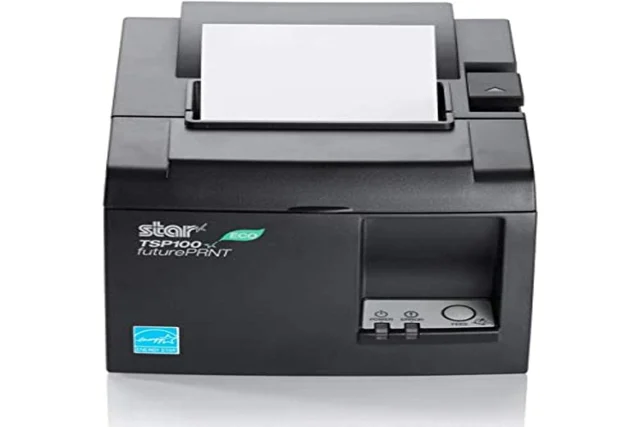
What it is
Thermal printing needs no ink. A heated print head darkens special paper as it passes, which makes the printer quick and quiet. Most register software talks to these printers in ESC/POS, a command language for text, barcodes, paper cuts and drawer signals. Our page on Epson printers explains where it came from.
Paper comes in narrow and wide rolls, and the printer is built for one size. Connections include USB, Ethernet and Bluetooth, and older units may use serial. The cash drawer plugs into the printer, which sends it a pulse to open. Star printers are the other common make, and some Star models use Star's own command set in place of ESC/POS, so check that the register software supports the model.
Why it matters to a business
- Line speed: every customer waits for the receipt, so a slow printer lengthens the line.
- Cash handling: the drawer opens only when the printer is told to open it, so a dead printer can mean a stuck drawer.
- Records: receipts are often needed for returns and for matching the day's sales. Thermal print fades with heat and time, so keep important records digitally.
- One printer per counter: when it fails, sales at that counter stop until it is fixed or swapped.
What to check when a register will not print
- Paper: confirm there is a roll, the lid is shut and the paper is the right way round, because thermal paper has one coated side.
- Power and lights: look for a steady power light and no error light.
- Connection: check the cable, or on a network printer, whether its address has changed.
- Selection: confirm the software points at the correct printer.
How this shows up in our work
We set up and support receipt printers at retail counters and dispensaries. Where we can, the printer is wired and has a fixed address, so the register always finds it. Web-based registers print through PrintNode or QZ Tray.
Related services
Managed IT
Registers, receipt printers and cash drawers kept documented and supported.
Networking and firewalls
Wired networks with fixed addresses so devices stay reachable.
Cannabis IT
Point-of-sale and printing for licensed dispensaries.
Learn more
- Thermal printing on WikipediaExplains why receipts fade and how the print head works, useful for anyone troubleshooting.
- ESC/P on WikipediaBackground on Epson printer command codes, for readers curious about the command side.
Register down and customers waiting?
Call or write with what the printer is doing. We reply within one business day.
Start a conversation